
From Pixie Dust Marketing
The Pixie Quill
The Pixie Quill writes the posts. Pixie Dust Marketing watches the results.
The Pixie Quill is a self-serve blog writing app for business owners who want a steady calendar of search-ready posts, written in their voice, ready to paste into Squarespace.

What The Pixie Quill does
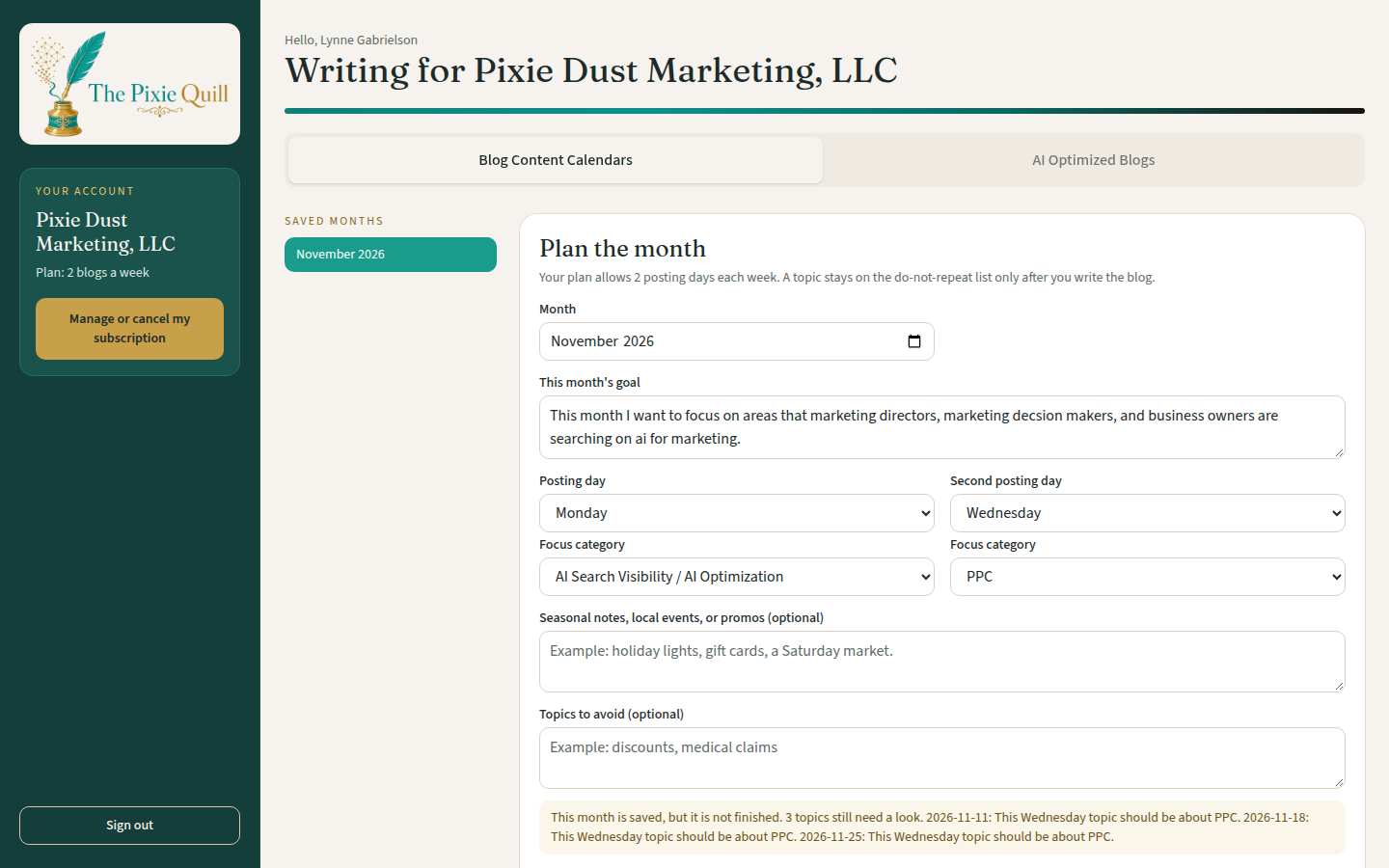
You log in to a dashboard built for your business. You see two tabs: Blog Content Calendars and AI Optimized Blogs. The app writes from the Marketing Kit built with you at setup, so posts follow your voice, colors, and branding.
A content calendar with a real plan
Pick the month and write the goal for that month. Each posting day has its own focus category, so Tuesday can cover one part of your business and Thursday can cover another.
Posting days that match your plan
A 1-blog plan gives you one posting day each week. A 2-blog plan gives you two. You choose the days that fit how your business actually talks to customers.
Posts that answer owner questions
Turn a calendar topic, or a new question your customers ask, into a full blog post. Each post includes a Quick Answer, FAQs, and schema, written so people and search tools can understand you.
Squarespace-ready code, in your look
Copy HTML that is built to paste into a Squarespace code block, styled to mirror your website. You can also download a Word file if your site uses a template instead.

How it works
We build your Marketing Kit
At setup, you work with Lynne on a full Marketing Kit: writing voice, logo, colors, and the details the app should never have to guess. That kit is loaded into your account before you start writing. This is covered by the one-time setup fee.
You plan the month
Open Blog Content Calendars, choose the month, set the goal, and pick a focus category for each posting day. You can add local events or promos, and note topics to avoid. The app suggests dated topics with a keyword and a reason, and it will not reuse a topic it has already used.
You write the post
Use Write this blog to send a topic into AI Optimized Blogs, or start from a new question. Set the keyword, the call to action from your kit, and any notes. The app drafts the post so you can review it.
You preview, then publish
Check the preview window on desktop and on your phone. Edit a section or rewrite a paragraph if you need to. Then copy the code into Squarespace, or download the Word file. Finished posts stay in Saved blogs. You add your own featured photo. The app suggests alt text and does not invent an image for you.
What you get in every post
A clear Quick Answer
The post answers the question first, in plain language, so a busy reader (and a search snippet) can see the point right away.
FAQs and schema
Each post includes FAQ sections and schema built from the real content of that post, ready to paste with the rest of the code.
A preview before you publish
The preview window shows the designed post, including the title banner and styled sections, so you are not copying unseen code.
Built to work on a phone
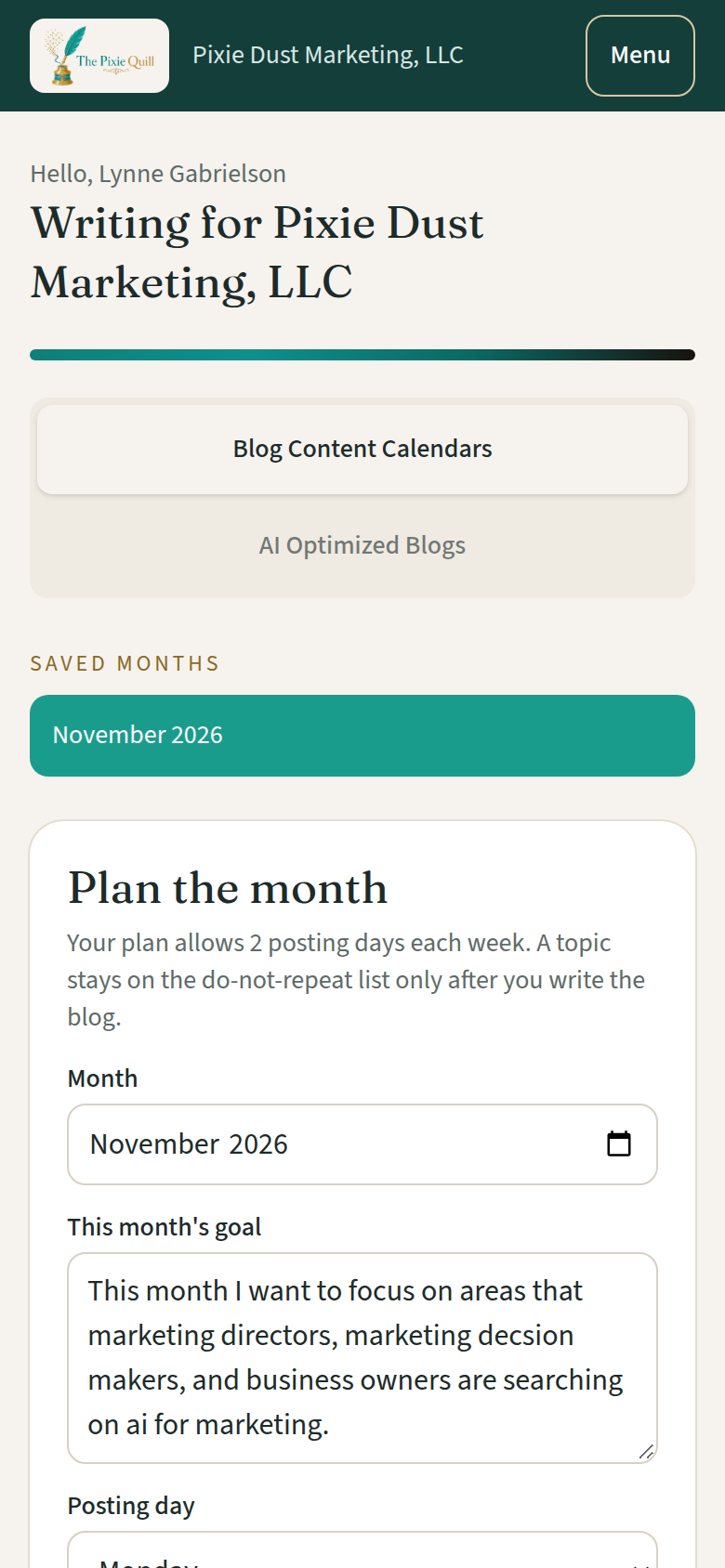
The app itself is set up for phones: calendar, forms, buttons, and the post preview. No sideways scrolling, and buttons that are easy to tap.
What The Pixie Quill does not include
The Pixie Quill writes the posts. It does not watch your analytics every day, and it does not send a monthly recap report. Those are part of Pixie Dust Marketing's full-service blogging work, not the app subscription.
If you want a human partner planning the content, watching the numbers, and reporting back each month, full-service blogging is the better fit. Learn about content and blog creation or schedule a consultation.
Frequently asked questions
What is The Pixie Quill?
The Pixie Quill is a self-serve blog writing app from Pixie Dust Marketing. Subscribers plan a monthly content calendar and generate blog posts written from their Marketing Kit, then copy Squarespace-ready code (or a Word file) onto their own website.
How does the content calendar work?
You pick the month, write the goal for that month, and choose a focus category for each posting day. Your plan sets whether you get one posting day a week or two. The app suggests topics with a keyword and a reason, remembers topics it has already used, and can replace one day's idea without changing the rest of the month.
What is a Marketing Kit, and do I need one?
Yes. Every subscriber gets a Marketing Kit as part of the one-time setup. It holds your writing voice, logo, brand colors, contact details, and the facts the app should use. Lynne builds that kit with you and loads it into your account.
Does The Pixie Quill watch my website results?
No. App subscribers do not receive daily analytics monitoring or monthly recap reports. The Pixie Quill writes the posts. If you want Pixie Dust Marketing watching the results, ask about full-service blogging.
Can I paste the posts into Squarespace?
Yes. The HTML is built for a Squarespace code block and is meant to mirror your site. You can also download a Word file if that is a better fit for how you publish.
Who is this for?
It is for business owners who want a consistent blog calendar and search-ready posts they can publish themselves. If you would rather hand the writing, the publishing support, and the monthly reporting to a marketing partner, full-service blogging with Pixie Dust Marketing is the other path.
See plans and pricing
Choose 1 blog a week or 2 blogs a week, then add the one-time setup that includes your Marketing Kit.
Questions? Call 480-389-6456 or email info@givemepixiedust.com.